The world’s most-used open source data extraction framework
开始学习之前 安装 scrapy:
Scrapy官网:Scrapy
Scrapy官网推荐了一款AI 爬虫插件:Web Scraping Copilot - Visual Studio Marketplace
该插件借助GitHub Copilot AI来帮助我们使用AI开发爬虫应用。可以尝试。
注:本笔记主要参考Scrpy官方文档
Scrapy 简介 Scrapy 是一个用于抓取网站 和提取结构化数据 的应用程序框架,可用于各种有用的应用程序,例如数据挖掘、信息处理或历史归档。
演示程序 我们将通过下面的示例程序演示如何爬取Quotes to Scrape 中标签有humor的quotes。
quotes_spider.py:
1
2
3
4
5
6
7
8
9
10
11
12
13
14
15
16
17
18
import scrapyclass QuotesSpider (scrapy.Spider):"quotes" "https://quotes.toscrape.com/tag/humor/" ,def parse (self, response ):for quote in response.css("div.quote" ):yield {"author" : quote.xpath("span/small/text()" ).get(),"text" : quote.css("span.text::text" ).get(),'li.next a::attr("href")' ).get()if next_page is not None :yield response.follow(next_page, self .parse)
然后我们通过指令:
1 scrapy runspider quotes_spider.py -o quotes.jsonl
运行结束后我们会得到quotes.jsonl文件:
1
2
3
4
5
6
7
8
9
10
11
12
{ "author" : "Jane Austen" , "text" : "“The person, be it gentleman or lady, who has not pleasure in a good novel, must be intolerably stupid.”" } { "author" : "Steve Martin" , "text" : "“A day without sunshine is like, you know, night.”" } { "author" : "Garrison Keillor" , "text" : "“Anyone who thinks sitting in church can make you a Christian must also think that sitting in a garage can make you a car.”" } { "author" : "Jim Henson" , "text" : "“Beauty is in the eye of the beholder and it may be necessary from time to time to give a stupid or misinformed beholder a black eye.”" } { "author" : "Charles M. Schulz" , "text" : "“All you need is love. But a little chocolate now and then doesn't hurt.”" } { "author" : "Suzanne Collins" , "text" : "“Remember, we're madly in love, so it's all right to kiss me anytime you feel like it.”" } { "author" : "Charles Bukowski" , "text" : "“Some people never go crazy. What truly horrible lives they must lead.”" } { "author" : "Terry Pratchett" , "text" : "“The trouble with having an open mind, of course, is that people will insist on coming along and trying to put things in it.”" } { "author" : "Dr. Seuss" , "text" : "“Think left and think right and think low and think high. Oh, the thinks you can think up if only you try!”" } { "author" : "George Carlin" , "text" : "“The reason I talk to myself is because I’m the only one whose answers I accept.”" } { "author" : "W.C. Fields" , "text" : "“I am free of all prejudice. I hate everyone equally. ”" } { "author" : "Jane Austen" , "text" : "“A lady's imagination is very rapid; it jumps from admiration to love, from love to matrimony in a moment.”" }
发生了什么? 首先,爬虫将向 start_urls属性中定义的URL发送请求,然后调用默认的回调方法 prase,并将响应对象作为参数传递给 prase方法。
在 prase方法内部,首先使用CSS选择器 遍历元素,生成包含提取的引用文本和作者的python字典。并在最后查找下一页的链接,并使用与回调相同的方法去爬取下一页的内容。
最终将所有爬取的结果放到:quotes.jsonl文件
Scrapy特性
Scrapy框架的请求是异步调度和处理 的:在等待服务器响应的时间中,程序依然可以发送下一个请求或处理其他事情,无需因等待响应而阻塞。
支持使用CSS选择器 和XPath表达式 来选择和提取HTML/XML中的数据。导航:selecting and extracting
交互式的Shell控制台 :用于尝试CSS选择器和XPath表达式来抓取数据,这在编写或调试爬虫时非常有用。导航:Shell 支持导出多种格式的文件并存储在多种后端文件系统
导出格式:JSON,CSV,XML等
文件系统:FTP,S3,Local filesystem
导航:feed exports
强大的编码和支持和自动检测。
强大的可扩展性支持:允许使用信号和定义良好的API插入自己的功能。导航:Extending
广泛的内置扩展和中间件:
cookie和会话处理
HTTP功能
用户代理欺骗
roboot.txt
抓取深度限制
一个Telnet控制台:用于连接到Scrapy进程内运行的Python控制台。导航:Telnet Console
控制爬虫的礼貌性:设置请求之间的下载延迟、先吃每个域或每个IP的并发请求量等。
后续我们将尽可能由浅入深,让你能够逐步自己编写一个Scrapy爬虫程序,并逐步掌握Scrapy的这些特性。
Scrapy教程 创建一个Scrapy教学项目 在终端中输入命令:
1 scrapy startproject tutorial
这将在当前目录下创建一个名为 tutorial的文件夹:
1 2 3 4 5 6 7 8 9 10 11 12 13 14 15 tutorial/# python 代码目录
第一个爬虫 在Scrapy框架中,我们需要自定义Spider类,它需要继承 scrapy.Spider父类,我们将通过Spider类来告诉Scrapy框架去哪爬,怎么爬,爬到后怎么处理。
将下面代码保存在路径 /tutorial/spiders/quotes_spider.py中,这是我们的第一个scrapy代码:
1
2
3
4
5
6
7
8
9
10
11
12
13
14
15
16
17
18
19
20
21
from pathlib import Pathimport scrapyclass QuotesSpider (scrapy.Spider):"quotes" async def start (self ):"https://quotes.toscrape.com/page/1/" ,"https://quotes.toscrape.com/page/2/" ,for url in urls:yield scrapy.Request(url=url, callback=self .parse)def parse (self, response ):"/" )[-2 ]f"quotes-{page} .html" self .log(f"Saved file {filename} " )
我的自定义QuotesSpider继承自scrapy.Spider类,并且我们在定义了一些成员和方法:
name:该爬虫的名字,每个爬虫的名字在项目中必须唯一。start():必须是一个异步方法(async),之后的请求都将由 start()方法生成。parse():这个方法会在每个请求完成并下载响应后调用,用来处理这些响应 。这个方法的 response参数是一个 TestResponse实例。这个对象包含了网页的内容,并提供一些有用的方法来进一步的处理这些内容。
parse()方法经常被用来解析响应,并提取数据并封装在python字典中。然后再找到新的url用于创建下一个请求。
如何运行爬虫 首先我们需要确保我们当前工作区位于项目的顶层(根目录下有 scrapy.cfg文件),然后运行:
这个指令将运行项目中名为 quotes的爬虫。
运行后,我们可以看到如下日志:
1
2
3
4
2025 -11 -13 19 :11 :14 [scrapy.core.engine] DEBUG: Crawled (200 ) <GET https:2025 -11 -13 19 :11 :14 [quotes] DEBUG: Saved file quotes-1. html2025 -11 -13 19 :11 :15 [scrapy.core.engine] DEBUG: Crawled (200 ) <GET https:2025 -11 -13 19 :11 :15 [quotes] DEBUG: Saved file quotes-2. html
并且在项目根目录下生成了文件:quotes-1.html和 quotes-2.html
运行过程中发生了什么?
Scrapy会执行爬虫中的start()方法,这个方法会返回一组 Request对象(包含了url和回调方法),Scrapy框架会负责将这些请求发送出去。
每当Scrapy收到某个请求的响应(比如网页内容),它就会继续下一步处理。
Scarpy会调用你在请求中指定的回调函数(callback),这个函数这里是parse,也可以是你自定义的其他方法。
Scrapy将响应内容封装在 Response对象中,传递给回调函数。
start方法简写 我们可以直接定义一个 start_urls列表来代替写 start()方法。scrapy框架会为我们自动生成默认的 Request对象。
1
2
3
4
5
6
7
8
9
10
11
12
13
14
15
16
from pathlib import Pathimport scrapyclass QuotesSpider (scrapy.Spider):"quotes" "https://quotes.toscrape.com/page/1/" ,"https://quotes.toscrape.com/page/2/" ,def parse (self, response ):"/" )[-2 ]f"quotes-{page} .html"
此时会默认使用parse()方法作为回调函数。
提取数据 学习通过Scrapy提取数据的最好方法是使用Scrapy shell 选择器进行尝试。
这里即使我们上面提到的Scrapy一大特点之一:交互式的Shell控制台。
例如我们想要分析网址:https://quotes.toscrape.com/page/1/
我们可以在项目中执行指令:
1 scrapy shell 'https://quotes.toscrape.com/page/1/'
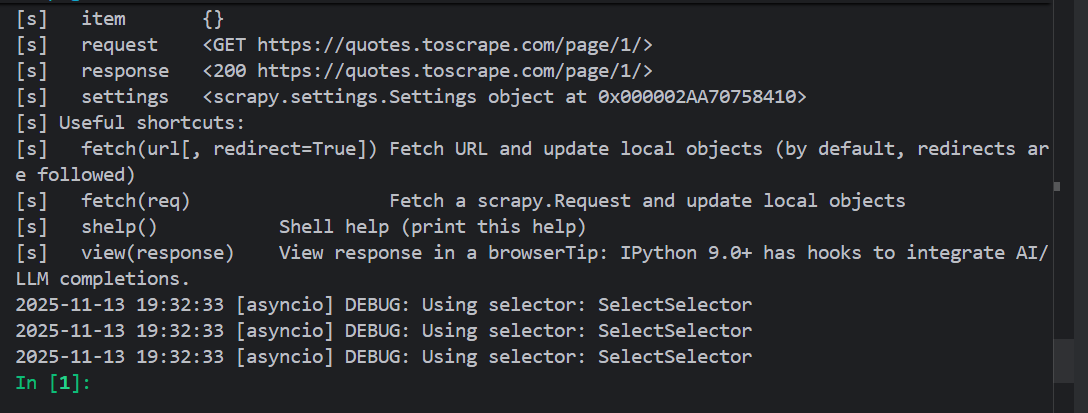
我们可以 看到类似如下的输出:
CSS选择器 使用shell,我们可以尝试使用CSS选择器选择元素并立即看到响应。
1
2
In [2]: response.css("title")
响应的结果是一个名为SelectorList的类似列表 的对象,它表示围绕XML/HTML元素的Selector对象列表,并允许你进一步的查询来细化或提取数据。
为了提取title的文字,我们可以:
1
2
In [3]: response.css("title::text").getall()
你也可以通过下标获取任意的元素:
1
2
In [8]: response.css("title")[0].get()
不过这么访问会有一个风险,即下标访问可能会出现越界的情况,此时程序会抛出异常:
1 2 3 4 5 6 In [10]: response.css("noelement")[0].get()----> 1 response.css("noelement" )[0].get()
但是使用 get()方法可以增强你程序的健壮性,当不存在元素时,get()方法会返回 None。这不会抛出异常,也就不会中断你的程序,或者进行异常处理。
1 2 3 4 In [11]: response.css("noelement").get()
忠告 :对于大多数爬虫代码,我们应该希望它能够应对 由于页面上未找到内容而导致的错误,这样即使某些部分无法抓取,我们也可以获得一些数据。
除了使用 getall()和 get()方法,我们也可以使用 re()方法通过正则表达式 来提取数据:
1 2 In [15]: response.css("title::text").re(r"(\w+) to (\w+)")
为了找到合适的CSS选择器,你可以通过在shell中使用 view(response)命令,将响应页面在网页浏览器中打开。然后使用浏览器的开发工具检查HTML结构,从而确定你需要使用的选择器。
1 2 3 2025-11-13 20:12:48 [asyncio] DEBUG: Using selector: SelectSelector
会在浏览器中打开抓取的页面。
关于如何使用浏览器开发工具进行抓取:Using your browser’s Developer Tools for scraping — Scrapy 2.13.3 documentation
XPath简要介绍 除了CSS选择器,Scrapy选择器还支持使用XPath表达式:
1 2 3 4 5 In [2]: response.xpath("//title")
XPath表达式是Scrapy选择器的基础。CSS选择器也会由引擎在底层被转换为XPath选择器。
虽然Xpath表达式不如CSS选择器流行,但是XPath表达式提供了更加强大的功能,因为除了结构导航之外,它还可以查看内容 。这使得XPath非常适合爬虫任务,即使你已经知道如何构建CSS选择器,我们也鼓励学习XPath,这将使得抓取变得更加容易。
这里不会详细讲解XPath和CSS选择器,但是提供一个例子,让你感受XPath的方便之处,以激励你学习XPath。
推荐的XPath教程:
示例:
假设网页有如下HTML:
1 2 3 4 <div class ="pagination" > <a href ="/page1" > Previous Page</a > <a href ="/page2" > Next Page</a > </div >
使用css选择器:
1 .pagination a :last-chile
通过结构来选择最后一个 <a>
如果网页结构发生了变化(比如多了一个按钮),这个选择器就可能失效。
使用XPath:
1 //a[text ()="Next Page" )]
直接根据文本内容选择 <a>
即使结构调整,只要文字没变,依然能准确选中目标。
实战:爬取quotes 和 authors 在shell中测试抓取 在示例网站https://quotes.toscrape.com 中的每个quote元素在HTML中结构如下:
1 2 3 4 5 6 7 8 9 10 11 12 13 14 15 <div class ="quote" > <span class ="text" > “The world as we have created it is a process of our</span > <span > <small class ="author" > Albert Einstein</small > <a href ="/author/Albert-Einstein" > (about)</a > </span > <div class ="tags" > <a class ="tag" href ="/tag/change/page/1/" > change</a > <a class ="tag" href ="/tag/deep-thoughts/page/1/" > deep-thoughts</a > <a class ="tag" href ="/tag/thinking/page/1/" > thinking</a > <a class ="tag" href ="/tag/world/page/1/" > world</a > </div > </div >
首先我们先使用scrapy shell测试一下如何才能找到我们想要的数据:
1 scrapy shell 'https://quotes.toscrape.com'
首先我们得到一个quote元素选择器列表:
1 2 3 4 5 In [4]: response.css("div.quote")
列表中的每一个选择器(Selector)都允许我们更深一步查询其中的子元素。
我们可以将列表中的第一个选择器赋值给变量,这样我们就可以直接在这个变量上使用选择器进行查询:
1
2
In [6]: quote = response.css("div.quote")[0]
现在,让我们接着来抓取quote中的 text、author、tags元素:
text:
1 2 3 4 In [10]: text = quote.css("span.text::text").get()
author:
1 2 3 4 In [14]: auther = quote.css("small.author::text").get()
tags标签同时存在多个,我们可以使用getall()获得一个列表:
1 2 3 4 In [16]: tags = quote.css("div.tags a.tag::text").getall()
在爬虫中提取数据 通过上面的测试,我们已经确定一下内容:
quote元素的选择器为:response.css("div.quote")
text元素的选择器为:quote.css("span.text::text").get()
author的选择器为:quote.css("small.author::text").get()
tags标签的选择器为:quote.css("small.author::text").get()
所以我们可以写出如下的爬虫:
1 2 3 4 5 6 7 8 9 10 11 12 13 14 15 16 17 18 19 20 21 22 from pathlib import Pathimport scrapyclass QuotesSpider (scrapy.Spider):"quotes" async def start (self ):"https://quotes.toscrape.com/page/1/" ,"https://quotes.toscrape.com/page/2/" ,for url in urls:yield scrapy.Request(url=url, callback=self .parse)def parse (self, response ):for quote in response.css("div.quote" ):yield {"text" : quote.css("span.text::text" ).get(),"author" : quote.css("small.author::text" ).get(),"tags" :quote.css("div.tags a.tag::text" ).getall(),
关于yield yield 是python中用来定义生成器函数 的关键字。它的作用是暂停函数执行并返回一个值 ,同时保留函数的运行状态,方便下次继续执行。与 return不同,yield不会一次返回所有结果,而是逐步生成数据。
示例:
1 2 3 4 5 6 7 8 9 def simple_generator ():yield 1 yield 2 yield 3 print (next (gen)) print (next (gen)) print (next (gen))
simple_generator返回一个生成器对象,每次调用 next()都会从上一次暂停的位置继续执行。
Scrapy爬虫通过 yield关键字返回数据。
执行爬虫:
我们可以在日志中看到抓取的数据:
1 2 3 4 5 6 ...
虽然我们获取到了数据,但是此时这些数据还没有被保存下来。
保存数据 最简单保存数据的方法就是直接在命令中指定保存文件:Feed exports
1 scrapy crawl quotes -O quotes.json
这会把所有数据以json格式保存在quotes.json文件中。
-O:覆盖写入文件,即如果文件已经存在,旧的内容会被新的内容覆盖
-o:追加写入文件,旧的内容依然存在,新内容会被追加在后面
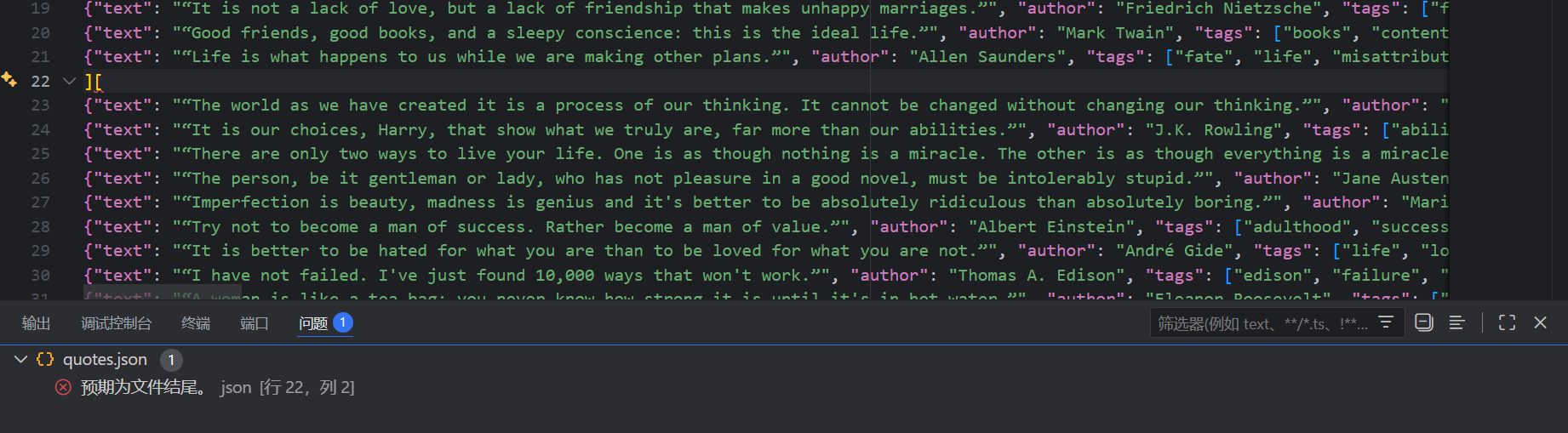
但是对于json 文件,如果直接使用 -o 追加写入会导致json格式错误:
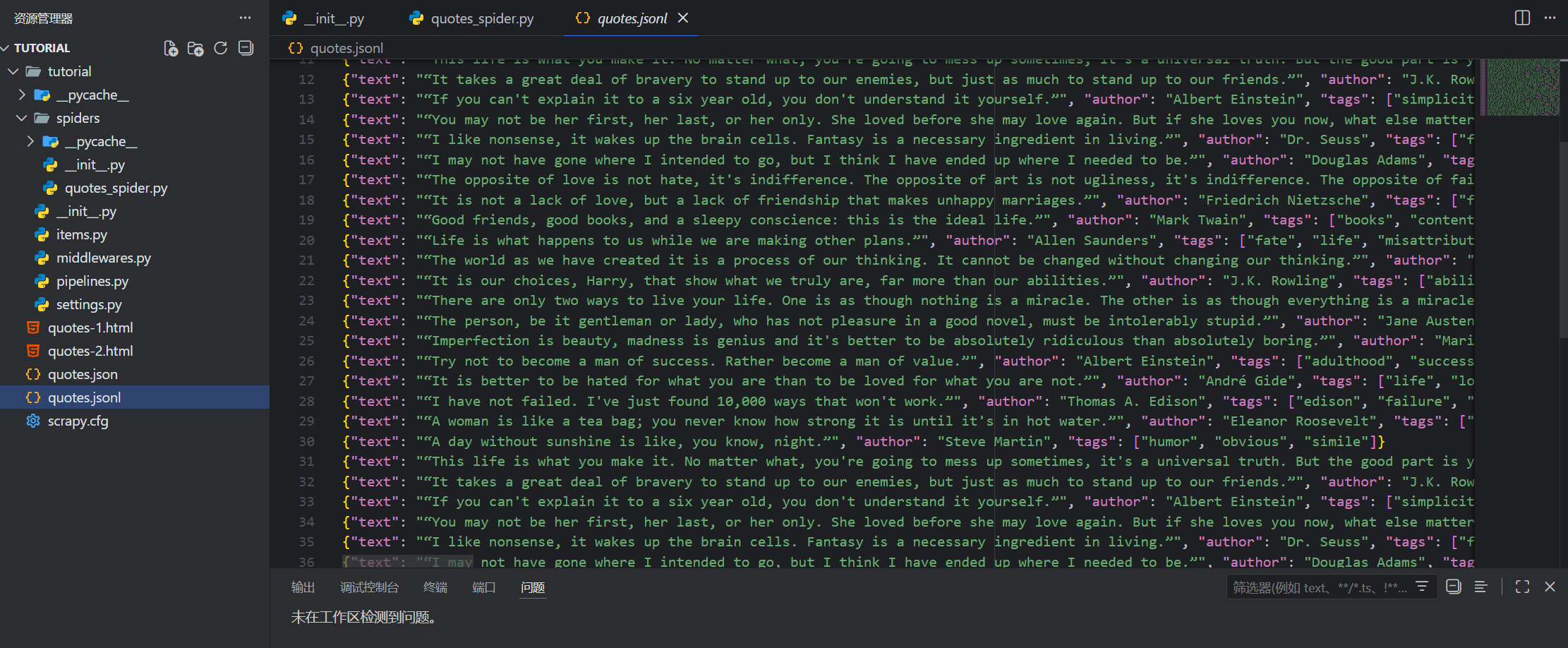
如果你希望在一个文件中对此追加json数据,可以考虑使用Json Lines :
1 scrapy crawl quotes -o quotes.jsonl
JSON Lines 格式类似与流,因此可以轻松的向其附加新的内容。
如果你只想保存抓取的数据,使用Feed exports已经足够了,如果你还想对于数据进行更复杂的处理,可以使用Item Pipeline 。
链接跟随(Follow Link) 如果你不止想只爬取https://quotes.toscrape.com 前两页的数据,而是想要爬取所有的页面。相比手动将所有页面链接加入 start_urls,使用链接跟随 可以让程序自动去追寻下一页的链接。
要做的第一步就是找到下一页的链接,在该网页中,包含下一页链接的元素如下所示:
1 2 3 4 5 <ul class ="pager" > <li class ="next" > <a href ="/page/2/" > Next <span aria-hidden ="true" > →</span > </a > </li > </ul >
我们可以先在shell控制台中抓取数据:
1 2 In [1]: response.css('li.next a').get()
我们得到了完整的超链接元素,但是我们只想获取其中的 href属性。Scrapy支持CSS扩展 ,可以让我们获取属性的内容:
1 2 In [2]: response.css('li.next a::attr(href)').get()
或者可以使用选择器的 attrib属性获取:
1 2 In [3 ]: response.css('li.next a' ).attrib["href" ]3 ]: '/page/2/'
获取下一页的链接后,我们就可以继续完善我们的爬虫程序:
1 2 3 4 5 6 7 8 9 10 11 12 13 14 15 16 17 18 19 20 21 22 23 24 25 from pathlib import Pathimport scrapyclass QuotesSpider (scrapy.Spider):"quotes" async def start (self ):"https://quotes.toscrape.com/page/1/" ,for url in urls:yield scrapy.Request(url=url, callback=self .parse)def parse (self, response ):for quote in response.css("div.quote" ):yield {"text" : quote.css("span.text::text" ).get(),"author" : quote.css("small.author::text" ).get(),"tags" :quote.css("div.tags a.tag::text" ).getall(),"li.next a::attr(href)" ).get()if next_page is not None :yield scrapy.Request(next_page, callback=self .parse)
现在,程序在解析完一页的数据后,会自动查找下一页的路径,如果存在下一页,则使用 urljoin()方法拼接出完整的URL地址,并发起新的请求,同时指定回调函数为自己。
当程序执行
1 yield scrapy.Request(next_page, callback=self.parse)
scrapy会把这个请求加入调度队列。
一种简写 我们可以使用 response.follow来简化代码:
1 2 3 next_page = response.css("li.next a::attr(href)" ).get()if next_page is not None :yield response.follow(next_page, callback=self .parse)
follow()方法支持直接传入相对路径用来创建请求。但是需要注意我们仍然需要将将其放在yield中。
更进一步:follow方法也支持直接放入一个选择器,这个选择器应该提取必要的属性。
1 2 for href in response.css("ul.pager a::attr(href)" ):yield response.follow(href, callback=self .parse)
再进一步:既然我们每次都使用的是href属性,那么我们为什么不直接传递 <a>的选择器?scrapy框架会自动获取其中的href属性:
1 2 for a in response.css("ul.pager a" ):yield response.follow(a, callback=self .parse)
再再化简一点,使用 follow_all()方法代替循环,将会为每一个选中的a创建请求:
1 2 anchors = response.css("ul.pager a" )yield from response.follow_all(anchors, callback=self .parse)
终极简写,直接传入css选择器:
1 yield from response.follow_all(css="ul.pager a" , callback=self .parse)
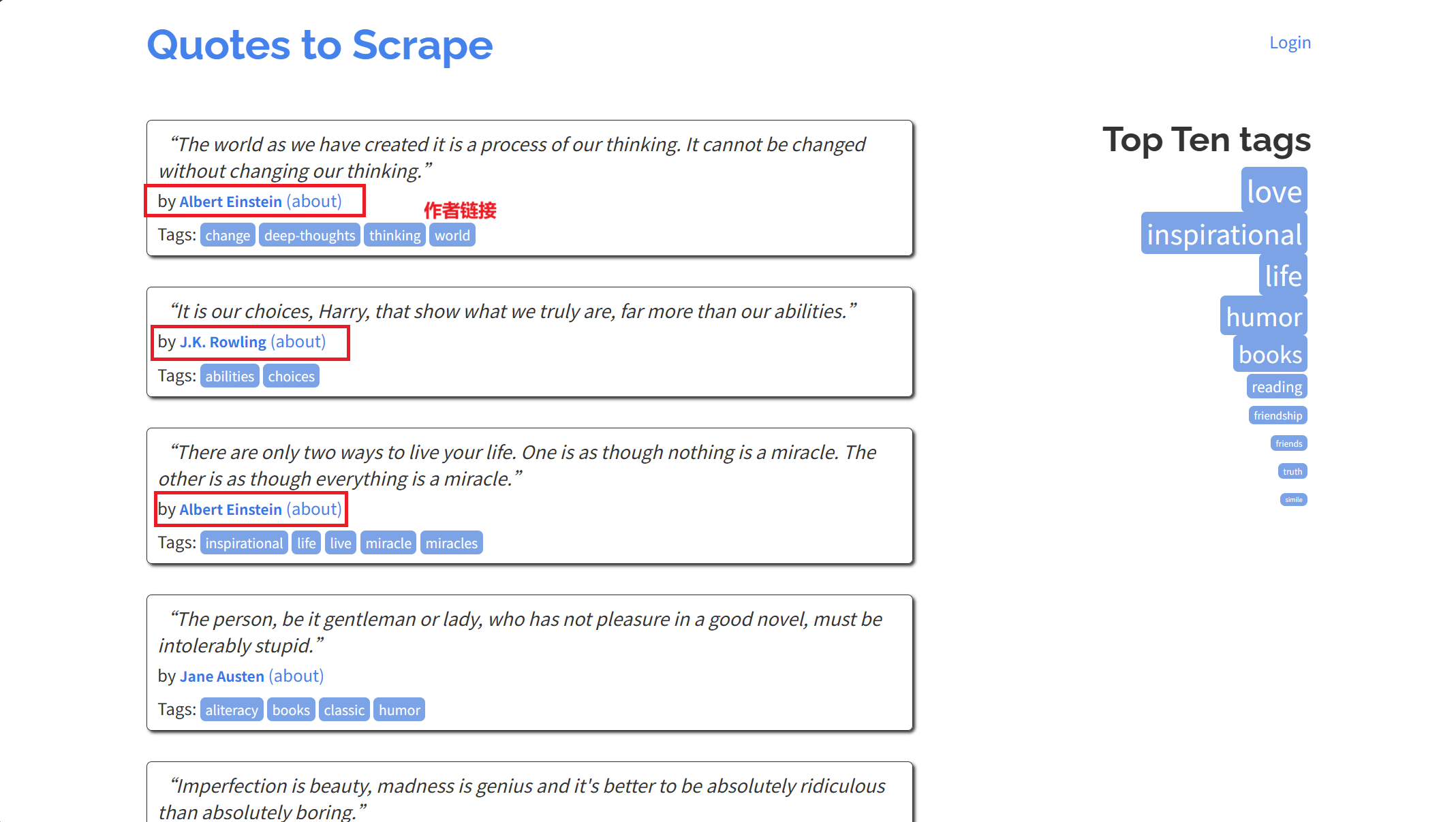
实战:爬取所有的作者信息 每一页标签中都有很多个指向作者信息的超链接:
1 2 3 4 5 6 7 8 9 10 11 12 13 14 15 16 17 18 19 20 21 22 23 import scrapyclass AuthorSpider (scrapy.Spider):"author" "https://quotes.toscrape.com/" ]def parse (self, response ):".author + a" )yield from response.follow_all(author_page_links, self .parse_author)"li.next a" )yield from response.follow_all(pagination_links, self .parse)def parse_author (self, response ):def extract_with_css (query ):return response.css(query).get(default="" ).strip()yield {"name" : extract_with_css("h3.author-title::text" ),"birthdate" : extract_with_css(".author-born-date::text" ),"bio" : extract_with_css(".author-description::text" ),
这个爬虫将从主页开始,使用 follow_all()方法,为每一个作者的链接创建一个请求,并回调使用 parse_auther方法解析数据。同时也会循环follow下一页的链接。
通过语句允许爬虫:
1 scrapy crawl author -o author.json
运行结束后,我们可能会发现一些有意思的事情:保存的所有作者信息中,没有出现重复的作者!
默认情况下,Scrapy框架过滤器 会自动滤除那些已经访问过的链接,避免因为程序错误重复访问一个太多次。如果你想修改默认选项,可以修改设置DUPEFILTER_CLASS
对于有规则的网站,我们也可以尝试使用 CrawlSpider来实现我们的爬虫,这是一个实现了小型规则引擎的通用爬虫。详情参考:CrawlSpider
有时,一个数据项可能包含了跨页的信息,比如你想把作者信息和他的名言合并成一个数据项,你可以参考Passing additional data to callback functions
爬虫参数 我们可以通过命令行参数-a选项给给爬虫传递参数。
1 scrapy crawl quotes -O quotes-humor.json -a tag=humor
这个参数将会被传递给爬虫的 __init__方法,并默认初始化为爬虫的属性。
在上面的例子中,tag参数可以通过 self.tag获取。
我们可以使用参数让我们的爬虫只爬取指定标签的quotes:
1 2 3 4 5 6 7 8 9 10 11 12 13 14 15 16 17 18 19 20 21 22 import scrapyclass QuotesSpider (scrapy.Spider):"quotes" async def start (self ):"https://quotes.toscrape.com/" getattr (self , "tag" , None )if tag is not None :"tag/" + tagyield scrapy.Request(url, self .parse)def parse (self, response ):for quote in response.css("div.quote" ):yield {"text" : quote.css("span.text::text" ).get(),"author" : quote.css("small.author::text" ).get(),"li.next a::attr(href)" ).get()if next_page is not None :yield response.follow(next_page, self .parse)
如果我们传入 tag=humor给爬虫,我们会发现爬虫将仅访问 humor标签的URL如:
https://quotes.toscrape.com/tag/humor
)